Key Takeaways
- Ask for push permission after a moment of value, such as saving an item or requesting a restock alert, rather than the first time someone opens your app.
- Triggered, contextual messages outperform broadcasts. In Batch’s 2025 benchmark, contextual campaigns averaged a 14.4% open rate, compared with 4.19% for generic sends.
- Every notification should deep link to the exact product, cart, or order it mentions.
- Judge each campaign on conversions, revenue, and opt-outs together, because opens alone don’t show whether push is making you money.
Push notifications land on the same lock screen as messages from friends and family. Few marketing channels get that close to your customers, and few are as easy for them to switch off.
That’s why the strongest push programs feel less like a broadcast and more like a service. A restock alert for a saved item in the right size gets opened. A third generic sale message in one week gets your app muted.
This guide covers eight practices that separate the two, from when to ask for permission and who to target, to what to write, when to send, and how to tell whether push is adding revenue. If you are still setting push up, start with our complete guide to push notifications for ecommerce. For where push fits in keeping customers coming back, see our guide to ecommerce mobile app retention.
1. Ask for Permission When the Benefit Is Clear
Your push opt-in rate sets the ceiling for every campaign you’ll ever send, so the permission request deserves as much care as any campaign.
Batch’s 2025 benchmark, covering messages sent between July 2024 and July 2025, puts average push opt-in rates at 56% on iOS and 67% on Android. On Android, that’s down from 85% a year earlier, which Batch links to the rollout of Android 13’s permission prompt.
On iOS, a declined request is hard to undo. Apple’s documentation confirms that the system prompts only the first time your app asks, so a customer who taps “Don’t Allow” has to turn notifications back on in Settings.
The common mistake is showing the system prompt as soon as someone opens your app. At that point, the customer has no context and little reason to agree.
Both platforms recommend asking in context instead. Google’s Android guidance says to request permission when it’s “explicitly clear what the notifications are used for.” Good moments in an ecommerce app include:
- Saving an item to a wishlist.
- Completing an order.
- Requesting a restock alert.
- Adding a product to the cart.
Start with a short pre-prompt in your own design that explains the benefit, and trigger the system dialog only after the customer chooses to continue. Someone who taps “Not now” can be asked again later, because you haven’t used up the one system request.
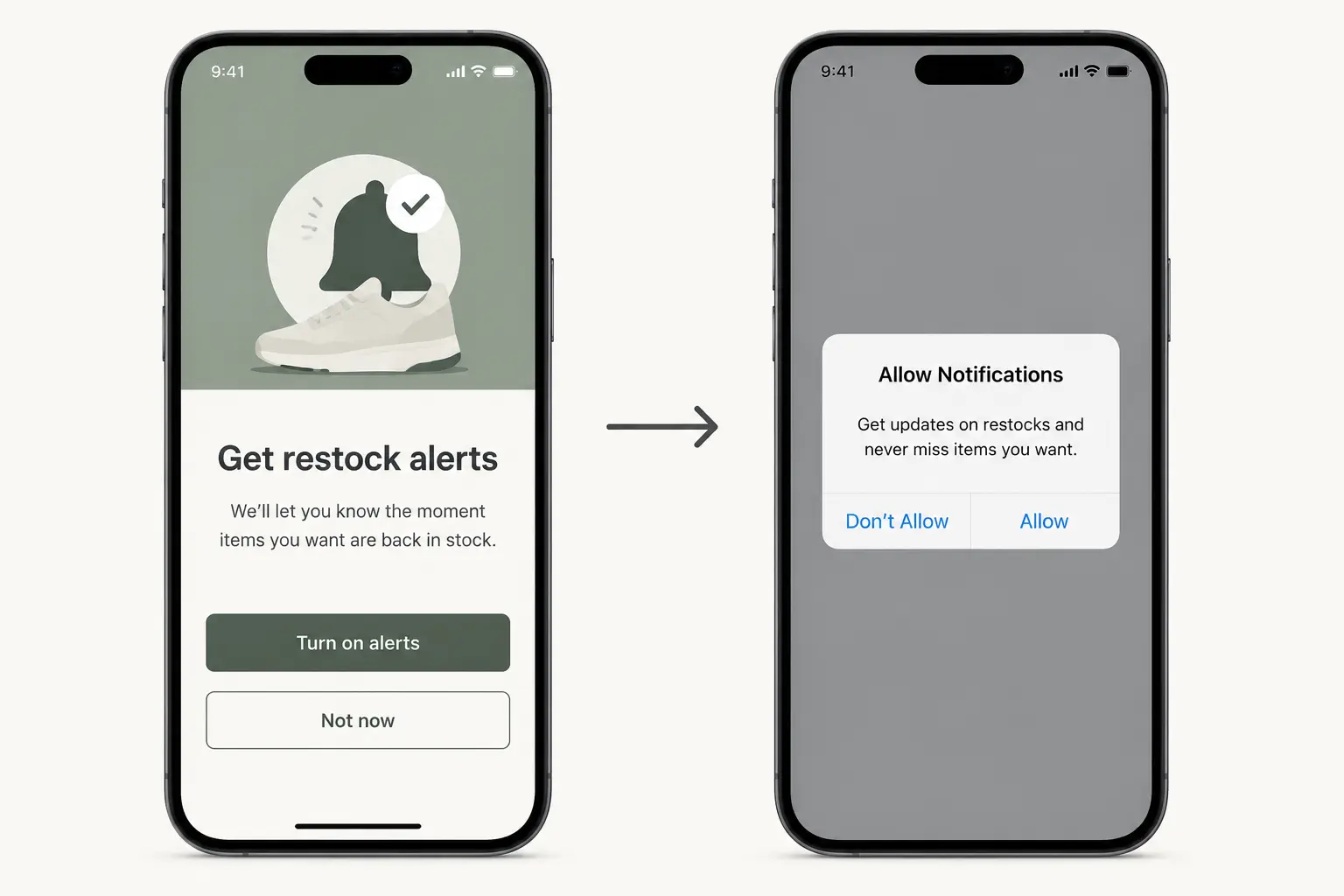
The wording should match the moment. “Get restock alerts” is more persuasive than “Enable notifications” because it tells the customer exactly what they’ll receive.
iOS also offers provisional authorization, which delivers notifications quietly to Notification Center without asking first. Customers then choose to keep or turn off your notifications once they’ve seen one. It’s a strong fit when you’re confident your first messages will prove their value.
2. Segment and Personalize Every Send
Relevance is the biggest lever you have in push. In Batch’s 2025 benchmark, contextual campaigns (triggered automatically by an action or a predefined time) averaged a 14.4% open rate, compared with 4.19% for generic campaigns sent manually with little or no targeting.
Useful personalization is based on behavior, not a first-name token. Build your segments around what customers view, save, buy, and leave behind.
Practical ecommerce segments include:
- Cart abandoners from the last 24 hours.
- Repeat customers grouped by the categories they buy.
- App users who haven’t made a first purchase.
- Customers who have become inactive over 30, 60, or 90 days.
- High-value customers who should get early access to a drop.
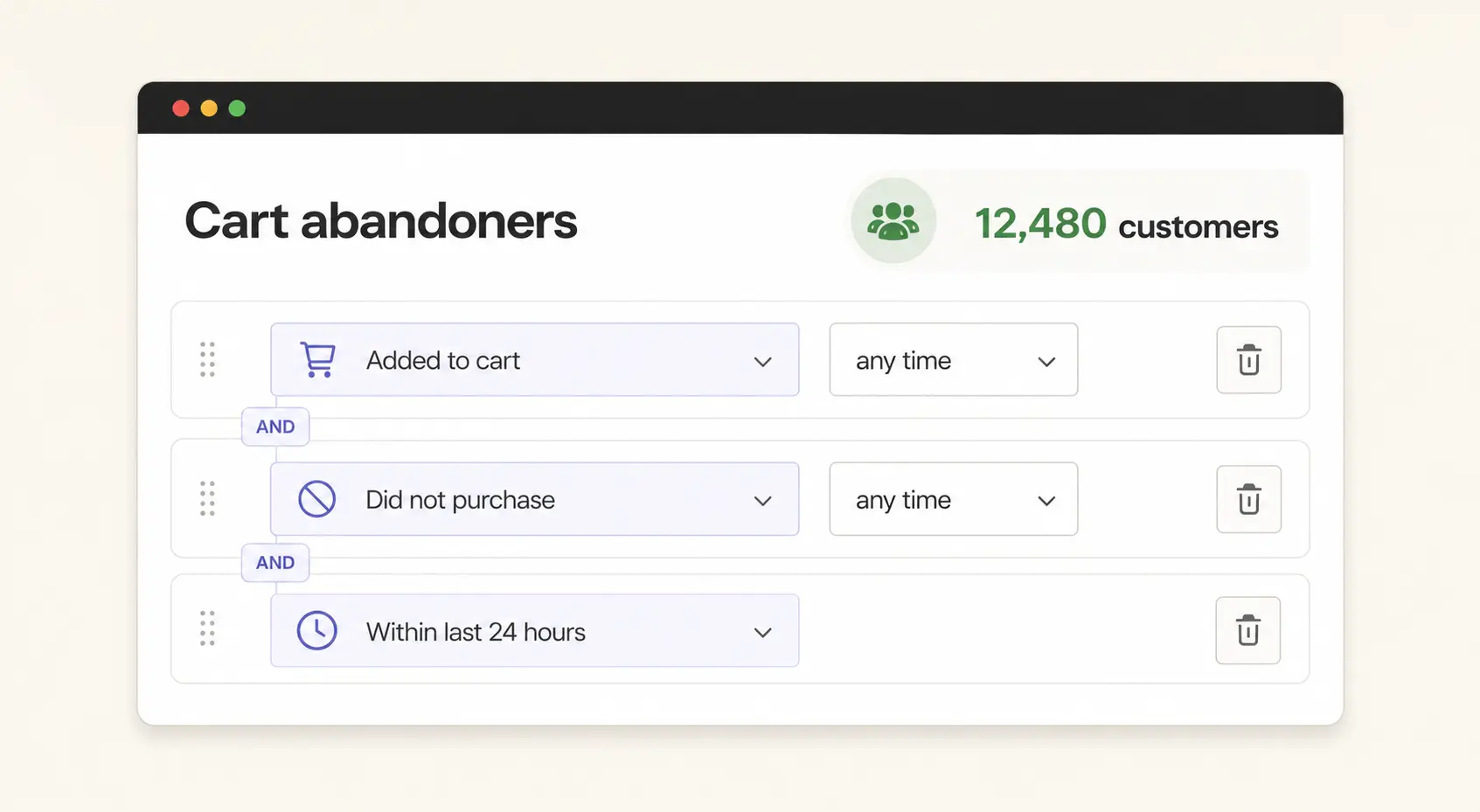
Each segment should receive a message written for its situation. A restock alert sent to customers who viewed a specific product shouldn’t read like a category-wide newsletter.
You don’t need dozens of segments on day one. Start with a few behaviors that show clear intent, then add complexity when your reporting justifies it.
3. Build Cart Recovery Around Recent Purchase Intent
Cart recovery is a strong first marketing automation to test once your requested alerts and order updates are working. An abandoned cart gives you recent purchase intent and a specific product to talk about.
Start with one reminder while the shopping session is still recent, then test whether a second one adds value. Before each send, check that the customer hasn’t purchased, the items are still available, and your email or SMS flows haven’t already sent the same reminder.
Name the product in the copy and deep link straight to the cart or checkout screen.
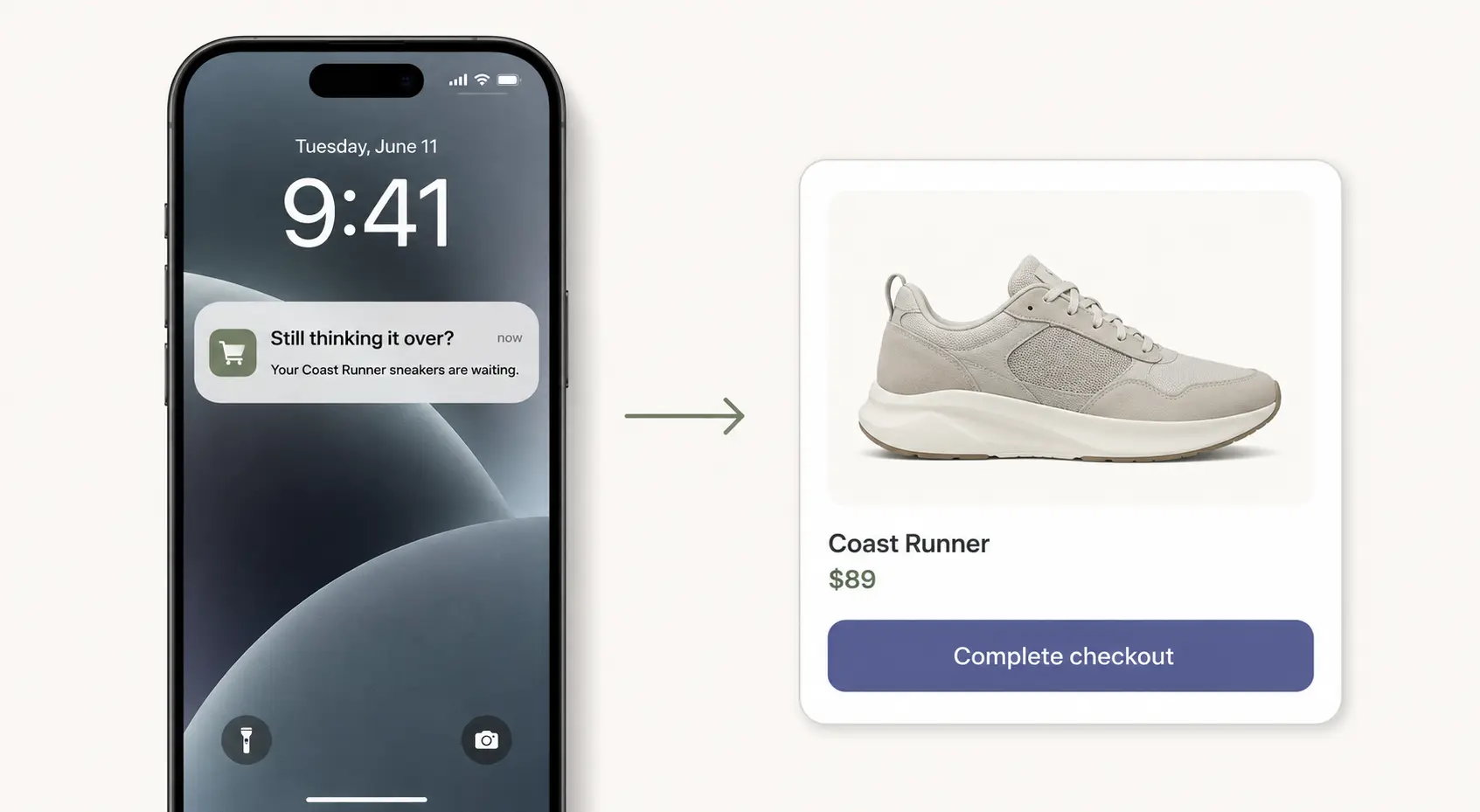
“Your Coast Runner sneakers are waiting” is more useful than “You left something behind.” It reminds the customer what they considered and sets an accurate expectation for the tap.
Don’t add a discount automatically. Test a plain reminder first, and if you do offer an incentive, reserve it for customers or carts where the margin cost makes sense.
4. Send on the Customer’s Clock
A relevant push notification can still fail when it arrives at the wrong time. Timezone-aware delivery is the minimum, because a promotion scheduled for the US East Coast shouldn’t reach a customer in Perth at 3 a.m.
If your push platform offers send-time optimization, test it. These features use each customer’s past behavior to estimate when they’re most likely to engage.
Avoid borrowing someone else’s “best hour to send.” Compare your own results by timezone, segment, weekday, and campaign type, and let the pattern in your data set the schedule.
Triggered messages follow different rules from campaigns. A cart reminder usually belongs shortly after the cart is abandoned, while a product launch is better suited to the hours when your customers normally browse.
5. Write for the Lock Screen
A push notification has very little space to earn a tap, so specific copy usually beats clever copy.
Lead with the concrete reason for the message: the item, size, price change, order status, or availability update. Keep the text short enough to survive truncation, and ask for one clear action.
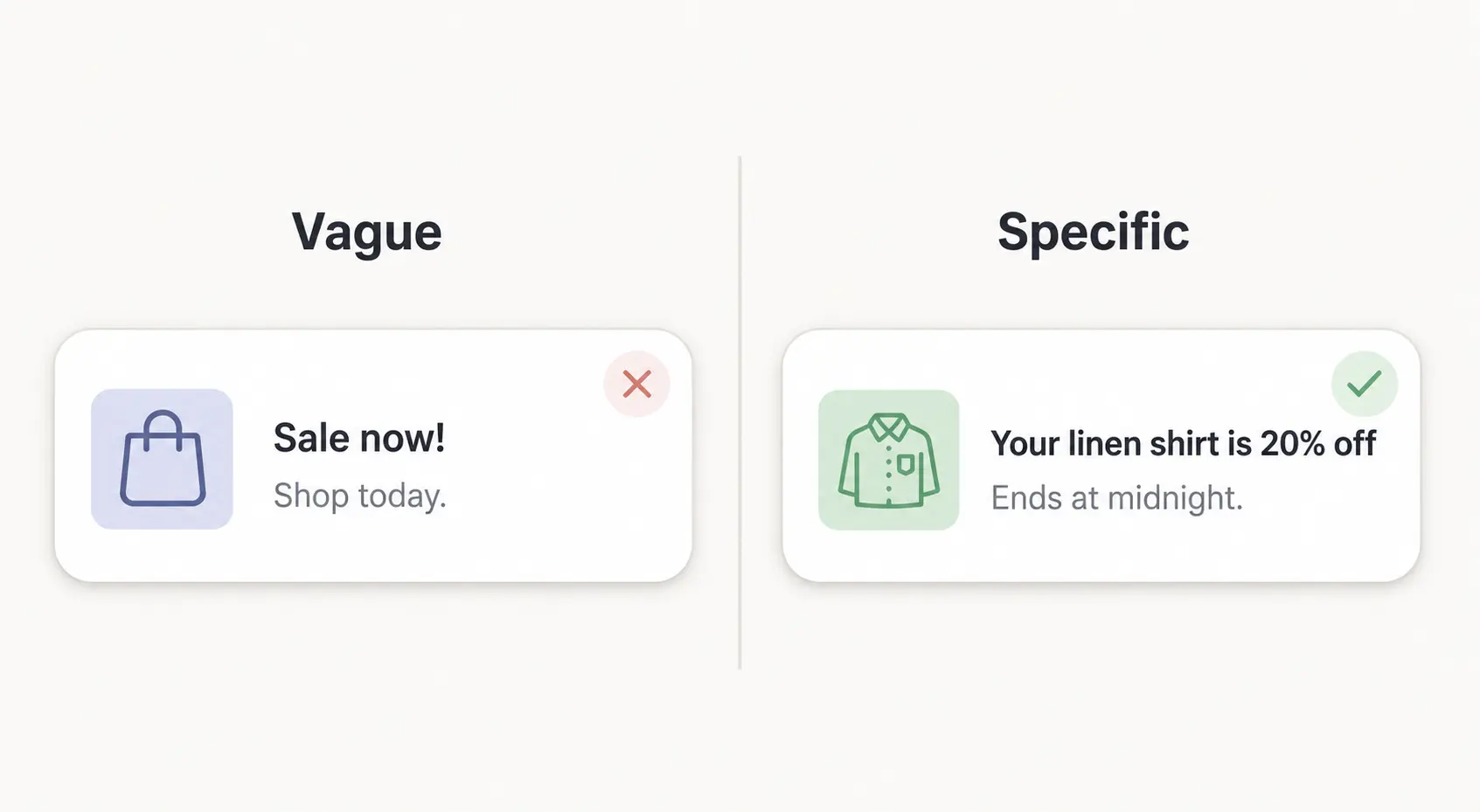
“Your linen shirt is 20% off” tells the customer what changed. “Sale now!” makes them do the work.
The destination matters as much as the wording. A restock notification should open the relevant product, and a cart reminder should open the saved cart. Sending every tap to your homepage adds friction and breaks the promise the notification made.
Urgency helps only when it’s true. “Back in your size” or “Ends at midnight” is more credible than constant all-caps warnings, and it gives the customer a real reason to act now.
6. Add Rich Media Where It Earns the Space
An image improves a push notification when it adds information. Product drops, restock alerts, and cart reminders are ideal candidates, because the item itself is part of the reason to tap.
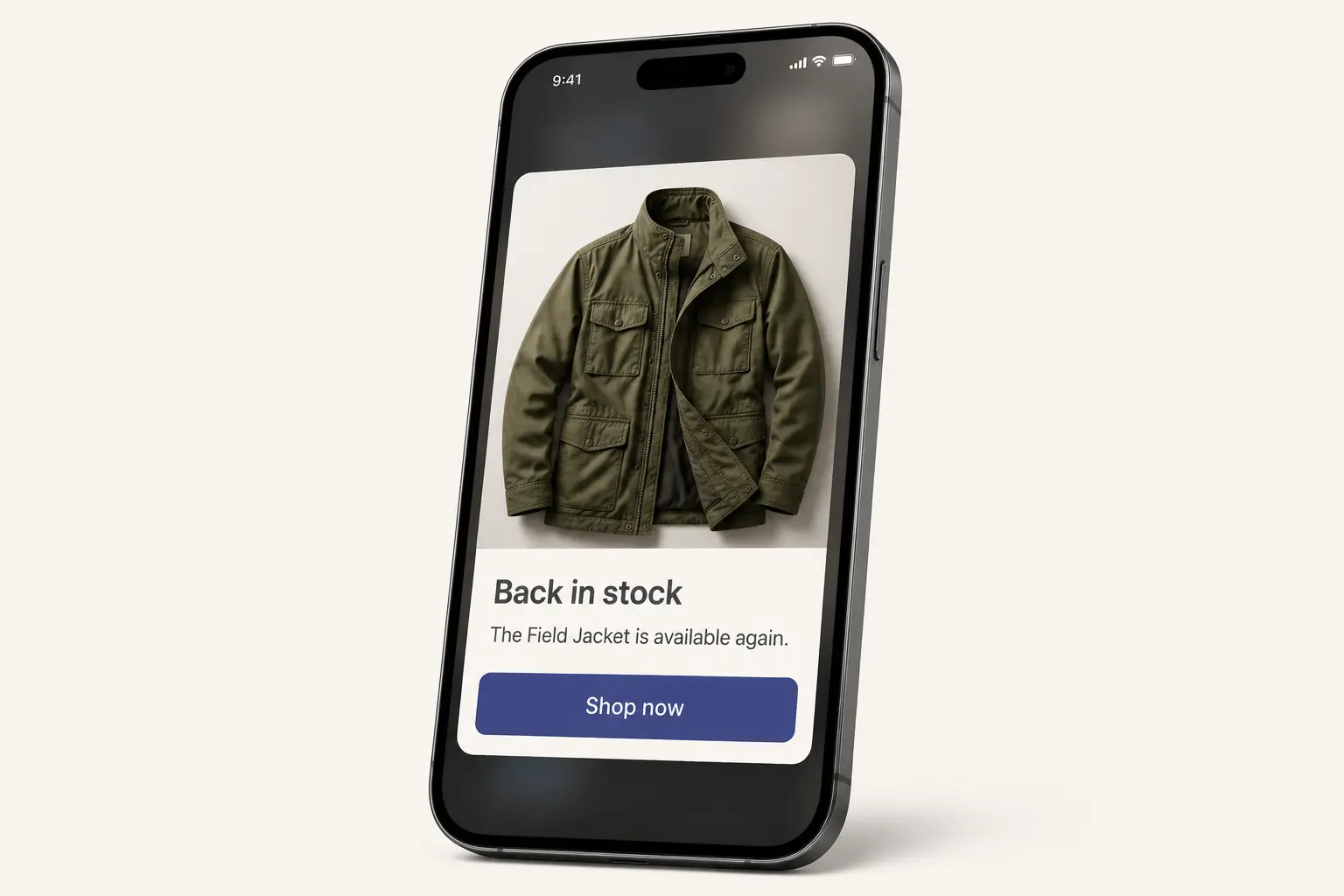
In a 2016 Airship analysis of nearly 5 million Android notifications, messages sent in the expanded “big picture” style saw a 56% higher direct open rate on average than those without an image. It’s an older, Android-only result, so treat it as a strong reason to run your own test.
Use product photography when seeing the product helps the customer decide. Skip stock graphics and decorative banners that make the notification heavier without making it clearer.
Preview every rich notification on both iOS and Android. The image crop, expanded state, text length, and action buttons can all differ by device and operating system.
7. Match Frequency to Relevance
Push fatigue is real, but volume is only part of the problem. Customers are more tolerant of messages that reflect something they did or asked for.
A customer may welcome two updates about an order in one day and still mute your app after one irrelevant promotion. That’s why a single weekly cap is a weak safeguard on its own.
Track opt-out rates by segment and campaign type. If one audience starts opting out more often, review the targeting, the promise, and the timing for that group before cutting back every campaign.
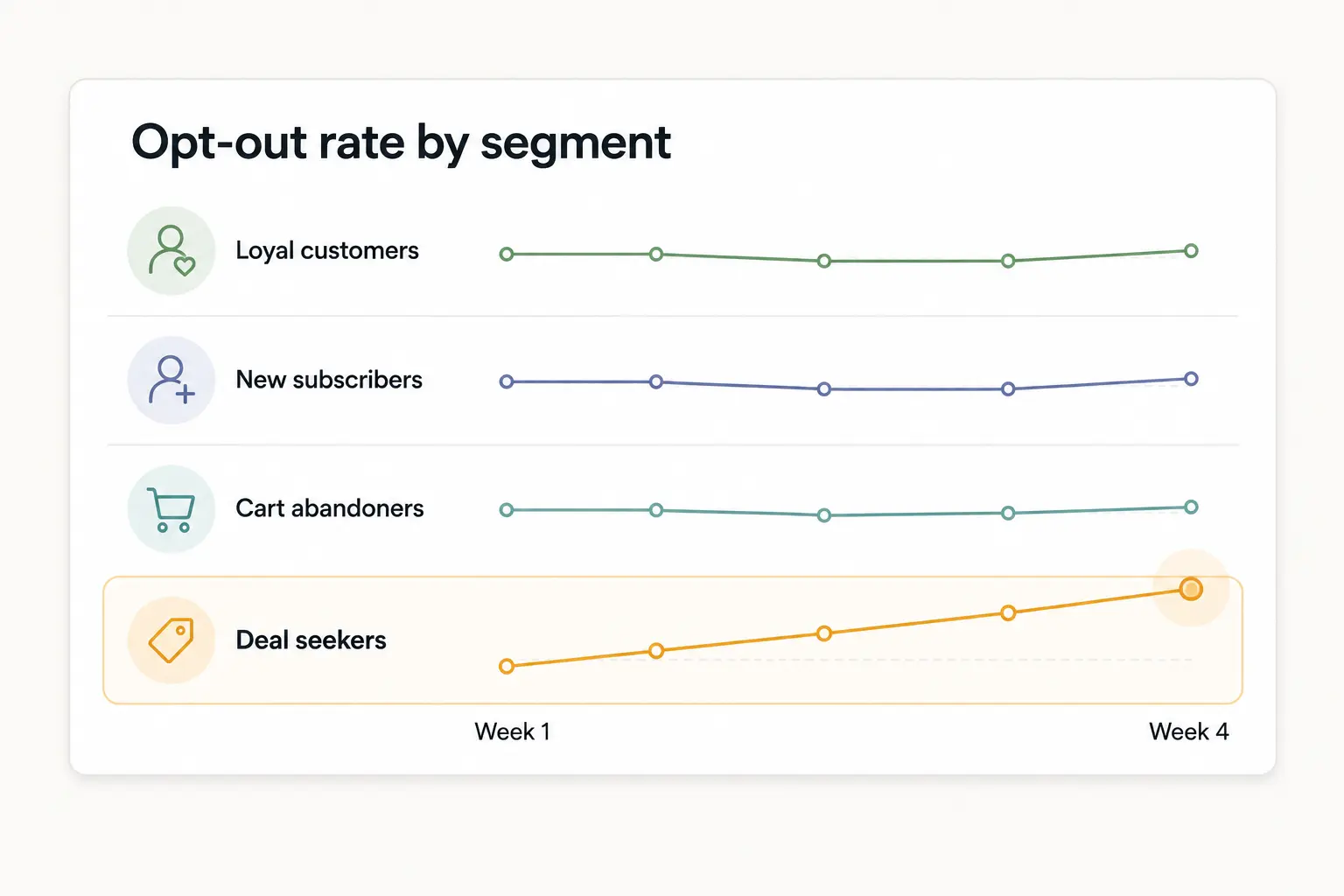
Frequency controls still earn their place. They stop overlapping automations and campaigns from reaching the same customer too many times.
If a shopper qualifies for a cart reminder, a loyalty message, and a weekend promotion on the same afternoon, decide which one has priority before all three reach their phone. The same thinking applies across channels, where it helps to give email, SMS, and push separate jobs rather than repeating one campaign everywhere.
8. Track Reaction, Conversion, and Revenue
Push open rates tell you whether a message caught attention, but they don’t tell you whether the campaign made money.
For a reference point on clicks, Pushwoosh’s 2025 benchmark study puts average push click-through rates for ecommerce and retail apps at 3.78% on Android and 3.05% on iOS. That data covers Q4 2024 to Q2 2025 and excludes transactional messages.
Your dashboard should connect campaign activity to the same customer and revenue data you use for the rest of your app analytics.
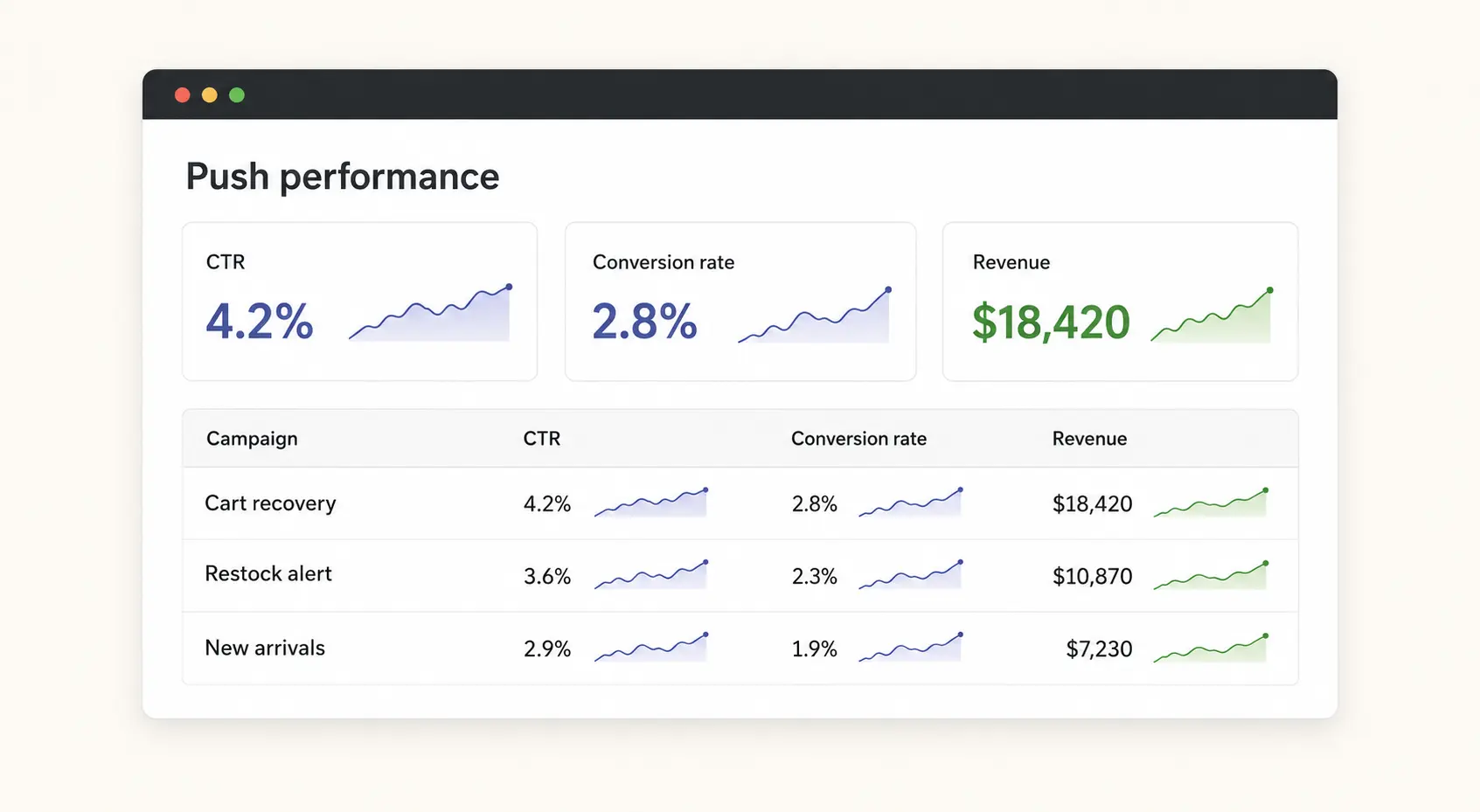
Track at least these metrics for each campaign:
- Delivery rate.
- Click-through or reaction rate.
- Conversion rate.
- Revenue and orders attributed to the campaign.
- Opt-out rate.
Read the metrics together. A campaign with a high click-through rate and weak conversion may have a mismatched landing screen or an offer that doesn’t live up to the copy. A campaign that produces revenue while opt-outs rise may be overused or poorly targeted.
Attributed revenue isn’t the same as added revenue, because some customers would have bought anyway. Where your platform allows it, hold back a small control group from a campaign and compare what both groups buy.
Start With the Highest-Intent Moments
Push works best as a relevance channel. Its value comes from reaching a customer with a useful message at the moment they’re most likely to care.
If you’re starting from zero, get the permission flow and requested alerts working first, then test a focused automation such as cart recovery. Tools such as Klaviyo can deep link a notification to a specific app screen, but your app still needs to open the right product or cart and deliver on the message.
Customers keep notifications enabled when that promise holds up, send after send. Better targeting, timing, and creative all serve the same purpose: making your next message worth receiving.
Ecommerce Push Notification FAQs
What’s a Good Push Notification Opt-In Rate?
A useful benchmark for push opt-in rates is the market average for each platform. Batch’s 2025 benchmark puts those averages at 56% on iOS and 67% on Android, so track your own rate separately by platform and by the moment you ask.
What’s a Good Click-Through Rate for Ecommerce Push Notifications?
Ecommerce and retail push notifications averaged a 3.78% click-through rate on Android and 3.05% on iOS in Pushwoosh’s 2025 benchmark study. Your triggered messages, such as restock alerts and cart reminders, should usually beat your broad campaigns.
How Many Push Notifications Should an Ecommerce App Send?
The right push frequency for an ecommerce app depends on relevance rather than a fixed weekly number. Requested alerts and order updates can be frequent, while broad promotions need tighter limits. Watch opt-outs by segment to find your ceiling.
Should Ecommerce Push Notifications Include a Discount?
Push notifications don’t need a discount to work, and adding one by default can teach customers to wait for it. Test a plain reminder or alert first, and reserve incentives for the customers and carts where the margin cost pays back.
How Is Push Different From SMS for Ecommerce?
Push and SMS both reach the customer’s phone, but push only reaches people who have installed your app and opted in, and it opens straight into the app. That makes push best suited to app-specific moments like restocks, saved items, and cart reminders.