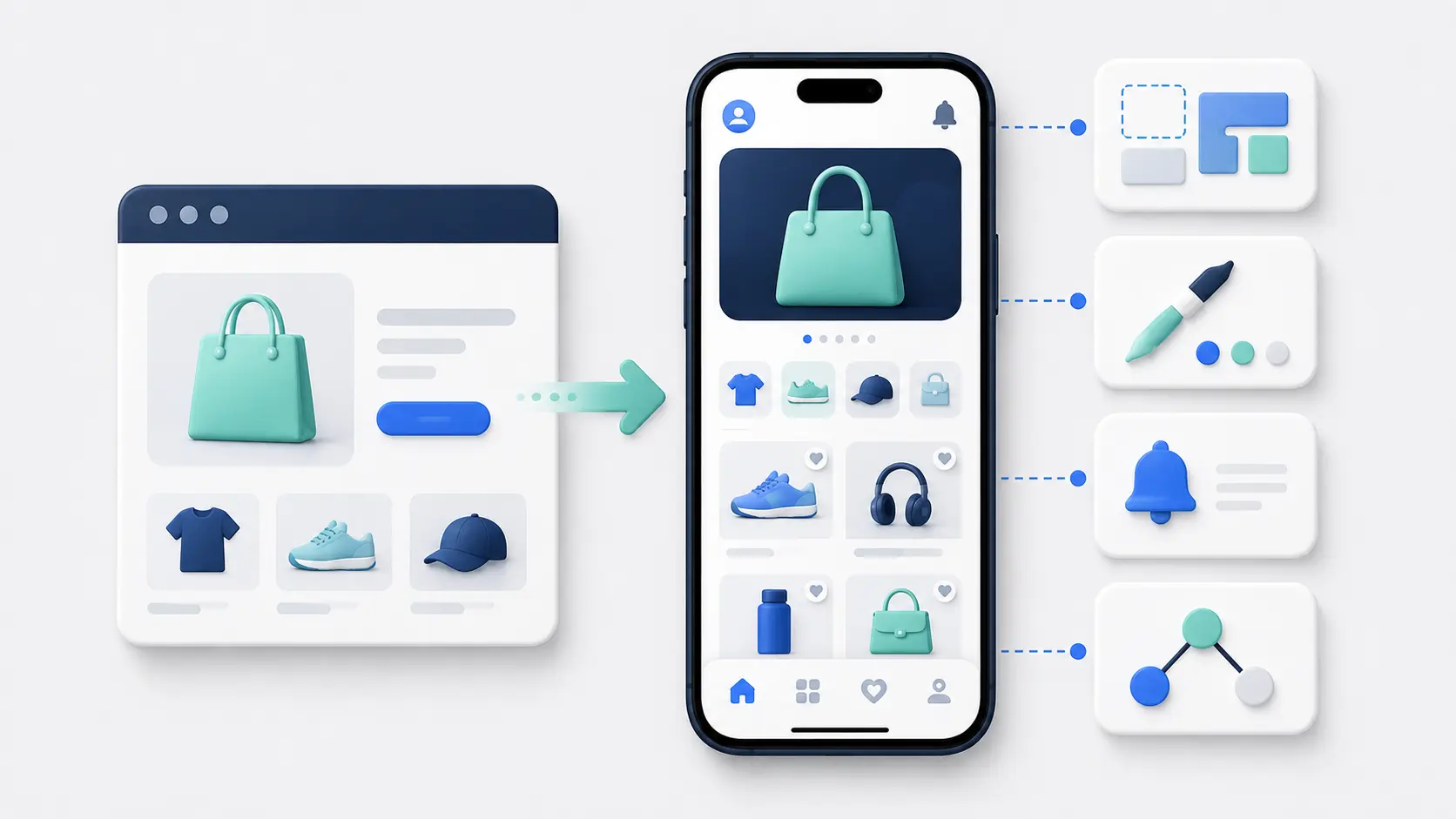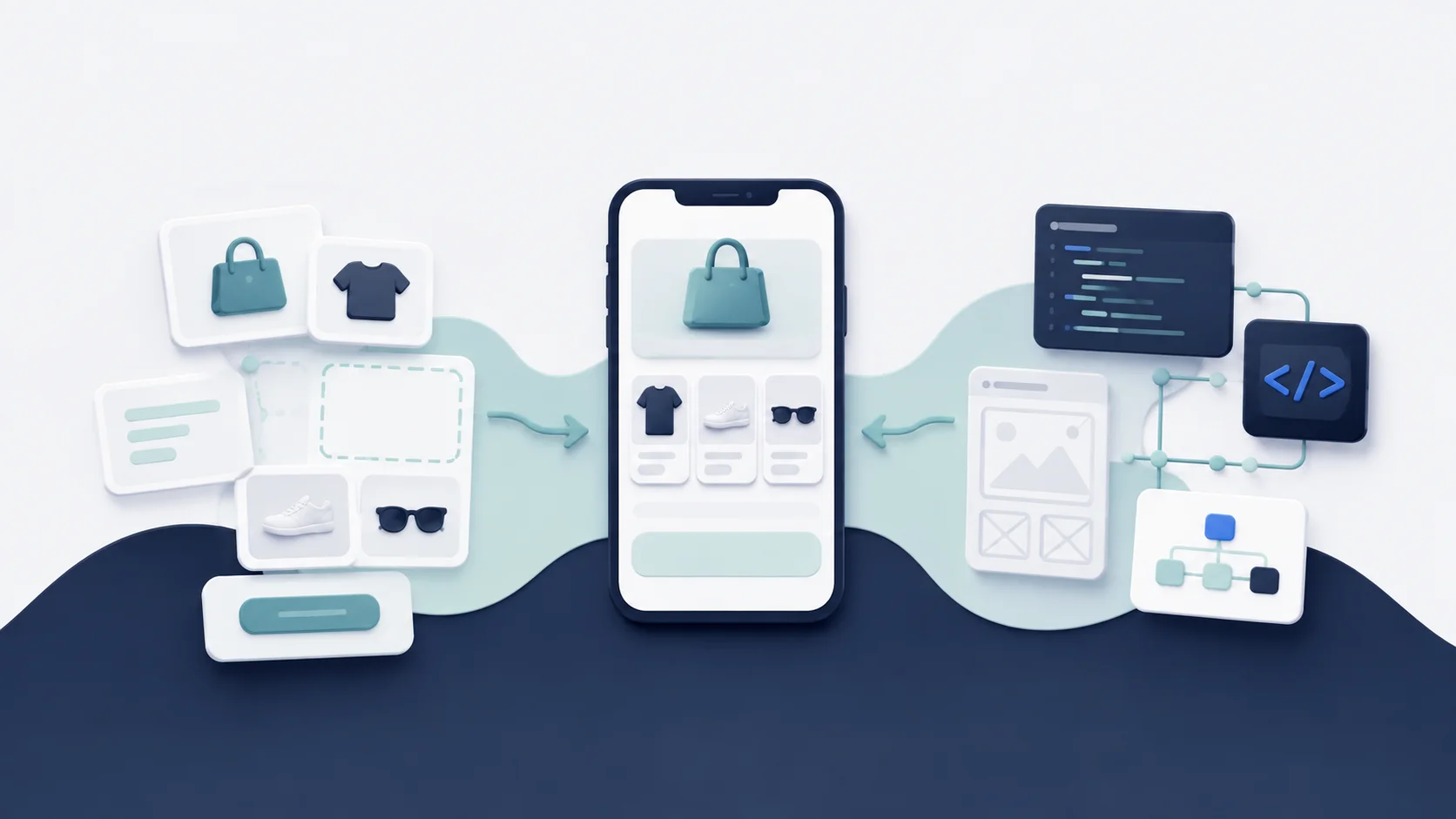
Shopify gives you the commerce backend for a mobile app. It doesn’t give you the complete customer-facing app.
You still need to build or configure the mobile storefront, customer accounts, cart, checkout handoff, native features, integrations and the systems that keep everything working after launch.
That can be a custom software project, but it doesn’t have to be. This guide explains what Shopify mobile app development involves, the main technical approaches and when a custom build is worth the extra work.
The Short Answer
A Shopify mobile app normally keeps Shopify as the system of record for products, inventory, customers, orders and checkout. The development work creates the iOS and Android experience around it.
For a custom app, Shopify’s current mobile stack centers on:
- The Storefront API for product discovery, search and cart management.
- The Customer Account API for authenticated customer data and actions.
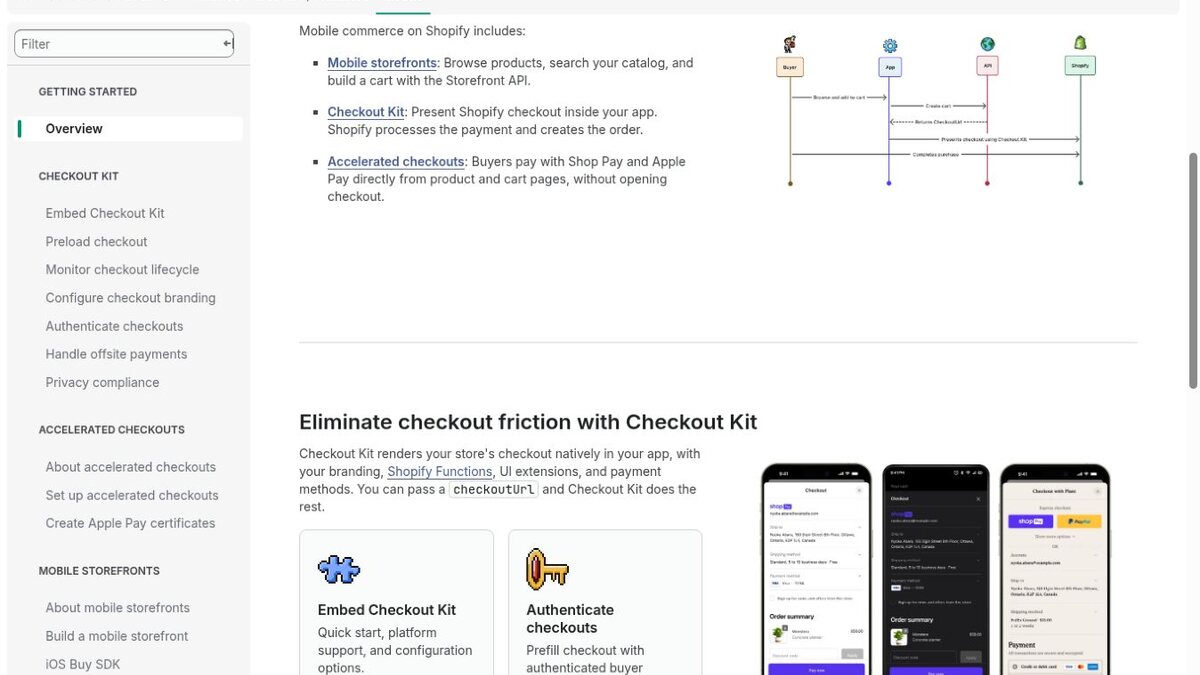
- Checkout Kit for presenting Shopify checkout inside the mobile app.
- Webhooks and backend services for events, integrations and data that shouldn’t live on the device.
You also need the mobile frontend, push notifications, deep links, analytics, testing, app-store delivery and ongoing maintenance.
If an existing app platform supports your store and the experience you need, it will usually be faster and less expensive than building all of this yourself. Custom development makes sense when the app needs to become a differentiated product and your requirements fall outside those platforms.
What Shopify Handles and What You Still Need to Build
Shopify removes a large part of the backend problem.
Your catalog, variants, prices, inventory, discounts, customers, orders, tax logic, payment methods and fulfillment workflows can remain in the same commerce platform that powers the website. You don’t need to create a second product database or order-management system for the app.
The mobile project still owns the customer experience.
That includes home and collection pages, search, filters, product details, cart state, account screens, native navigation, device permissions, deep links, push notifications and the logic that connects these pieces to Shopify and your other tools.
It also owns the failure states. The app needs to handle expired sessions, API errors, slow networks, unavailable products, payment cancellations and integration outages without leaving the customer stuck.
The Main Architecture Choices
There isn’t one required technology for a Shopify mobile app. The first decision is how much of the frontend you want to build and maintain yourself.
Separate Native iOS and Android Apps
Fully native development uses Swift or SwiftUI for iOS and Kotlin for Android.
This gives each version direct access to its platform’s interface patterns, performance tools and device capabilities. It can be the right choice when the app has complex, platform-specific interactions or the mobile product itself is central to the business.
The trade-off is two codebases. Features, fixes and releases need to stay aligned across separate engineering workstreams. That increases development and testing cost.
For a standard commerce experience, this is often more control than you need.
A Cross-Platform Mobile App
Frameworks such as React Native and Flutter let you share more code across iOS and Android.
You still produce mobile apps for both platforms, and you can add native modules when a feature needs them. A shared codebase reduces duplicated work and is a common choice for custom ecommerce apps.
Cross-platform doesn’t mean “write once and forget it.” You still need platform-specific configuration, testing, store submission and fixes. Native SDKs and device behavior can differ between iOS and Android.
Shopify’s Checkout Kit currently provides official SDKs for Swift, Android and React Native. Flutter projects can still use Shopify APIs, but the team needs to plan the checkout integration and native bridge work around the tools Shopify officially supports.
A Website-Powered App
A website-powered app uses your mobile Shopify storefront for much of the customer experience and adds a native shell around it.
This reuses the theme, web integrations and customer journeys you already maintain. Native navigation, push notifications, deep links and app-only screens can sit around the web experience.
The development scope is smaller because you aren’t rebuilding every storefront component against Shopify’s APIs. The quality of the result depends on your mobile site, and the approach offers less separation between the web and app interfaces.
An App Builder or Managed Platform
An app builder provides the mobile framework, Shopify connection, content tools and release process as a shared platform.
Your team configures the experience rather than engineering the full stack. Some builders create a separate app storefront from prebuilt components. Others use the existing website and add native functionality.
You give up some technical freedom, but you also avoid owning API upgrades, operating-system compatibility and much of the app-store release work. Our app builders versus custom development guide covers that trade-off in more detail.
The Shopify Mobile Commerce Stack
For a custom frontend, Shopify provides the main commerce building blocks. The pieces work together, but each one solves a different part of the journey.
Storefront API: Products, Search and Cart
The Storefront API is Shopify’s GraphQL API for customer-facing commerce experiences.
Your app can use it to query products and collections, run search, build product pages and create or update a cart. A cart can return a checkoutUrl, which becomes the handoff into Shopify checkout.
The API makes a custom frontend possible. It doesn’t reproduce your theme or install the customer-facing interfaces from your Shopify apps. Your mobile team still designs those screens and connects the data to them.
Plan for pagination, caching, localization, market context and unavailable inventory. A product grid that works with twenty products needs different data and rendering decisions when the catalog has tens of thousands.
Customer Account API: Login and Customer Data
The Customer Account API gives authenticated customers access to data such as orders, payments, fulfillment, discounts, refunds and metafields.
Shopify uses hosted authentication and OAuth for the login flow. This can create a consistent account identity across the online store, custom storefronts and checkout.
Your app still needs to handle tokens securely, restore sessions and design the account experience. Decide what customers can do after login, including viewing orders, managing addresses, accessing loyalty or changing subscriptions through connected services.
Account behavior is one of the areas most likely to expose gaps between a polished prototype and a production app.
Checkout Kit: Shopify Checkout Inside the App
Checkout Kit is an open-source SDK for Swift, Android and React Native. You pass it a checkoutUrl, and it presents the store’s Shopify checkout inside the app.
Shopify continues to process payment, taxes and the order. The checkout keeps your store branding, payment methods and compatible extensions rather than asking the app team to build a separate payment flow.
Checkout is still part of the app lifecycle. Your code needs to respond when a purchase completes, fails or is canceled. It also needs to clear or update local cart state and forward the relevant events to analytics.
Shopify supports authenticated checkout using Customer Account API tokens, which can prefill customer details. Accelerated Shop Pay and Apple Pay buttons are also available for supported iOS and React Native implementations. Platform support can differ, so check the current requirements before putting a wallet into the scope.
Admin API, Webhooks and Backend Services
Most storefront interactions shouldn’t call the Admin API directly from a customer’s phone. Admin access can expose sensitive business operations and credentials that belong on a secure server.
Use backend services when the app needs protected Admin API data, private integration logic, scheduled jobs or a trusted place to store secrets.
Shopify webhooks can notify that backend when events happen, such as product or order changes. This is more efficient than asking Shopify repeatedly whether anything has changed.
Webhooks aren’t guaranteed to arrive exactly once or in the order you expect. Your processing needs verification, duplicate handling, retries and monitoring. Shopify includes an HMAC signature and delivery ID so your service can verify the source and detect duplicate deliveries.
How Commerce Data Moves Through the App
A common custom flow looks like this:
The app requests products from the Storefront API and renders the results in its own interface. When a customer adds a variant, the app creates or updates a Shopify cart and keeps the cart ID locally. When the customer is ready to pay, the app retrieves the checkoutUrl and opens Checkout Kit.
Shopify processes the checkout and creates the order. Checkout Kit returns lifecycle events so the app can show confirmation, clear the cart and record analytics.
Customer login follows a separate authenticated flow through the Customer Account API. Your app uses the resulting access token for customer-scoped requests and can pass the token into authenticated checkout.
Your backend handles protected operations and listens for Shopify events. Third-party systems may connect from the mobile client, your backend or both, depending on their security model and SDK.
The architecture is manageable when responsibilities are clear. Problems appear when cart state exists in several places, authentication systems don’t agree or an integration assumes the website is the only frontend.
Integrating the Rest of Your Shopify Stack
A production Shopify store usually relies on reviews, loyalty, subscriptions, search, personalization, customer support, returns and analytics.
In a custom mobile app, every customer-facing integration needs a mobile implementation. That might be a public API, a native SDK, a web screen or custom backend logic.
The integration’s name isn’t the requirement. Document the exact journey.
For subscriptions, decide whether customers can start, pause, skip, swap and cancel. For loyalty, cover earning, balances, redemption and VIP status. For reviews, decide whether users only read them or can also submit photos and video.
Check authentication and identity across the stack. A customer logged into Shopify may still need a separate token or identity mapping for another service.
Every integration also creates ongoing maintenance. When a vendor changes its API or SDK, the app needs to adapt even if Shopify itself hasn’t changed.
Native Features Beyond the Shopify Storefront
Native capabilities are where an installed app can do more than a mobile browser tab.
Push notifications are the most important example for many ecommerce brands. The implementation includes permission handling, device tokens, audience mapping, message delivery and deep links into specific products, collections, carts or account screens.
Other native features can include biometric login, camera access, barcode scanning, location, sharing, widgets and app-only screens. Each one adds permissions, platform behavior and testing.
Add a native feature because it improves a customer journey. A longer device-capability list doesn’t automatically make the app more useful.
Security, Privacy and Compliance
The app handles customer identity, commerce data and payment context, even when Shopify processes the final transaction.
Keep private API credentials off the device. Store tokens using the secure facilities provided by iOS and Android. Use HTTPS, validate data from the client and give services only the access scopes they need.
Consent also needs to carry through the experience. Shopify’s Checkout Kit privacy guidance requires the app to collect the appropriate tracking consent and pass it through so Shopify can apply it during checkout.
Your privacy disclosures need to match what the app and its SDKs collect. Analytics, attribution, push and support tools can all affect the declarations required by Apple and Google.
Security isn’t a one-time review before launch. Dependencies, certificates, access scopes and policies all change.
The Team Behind a Custom Shopify App
A serious custom project usually needs product, design, mobile engineering, backend or integration work and quality assurance.
One cross-platform developer may cover a focused first version, but the wider responsibilities still exist. Someone needs to define the product, review the customer experience, manage releases, monitor crashes and coordinate with the ecommerce team when the store changes.
Separate native apps require iOS and Android expertise. A cross-platform project reduces duplicate implementation but still benefits from people who understand both platforms.
You also need access to whoever owns Shopify, checkout, customer accounts and the connected tools. Mobile developers can’t validate a subscription or loyalty flow without the people who understand how it is supposed to work.
An agency can provide these roles, but your business still needs an internal owner who can make decisions and accept the finished product.
Development Phases and Deliverables
A custom Shopify mobile app project normally moves through discovery, design, implementation, testing and release.
Discovery should produce the requirements, architecture, integration map, first-version scope and ownership plan. Design should cover the complete customer journey and error states, not only attractive home and product screens.
Implementation includes the mobile frontend, Shopify APIs, backend services, integrations, analytics and native features. Testing needs real devices, real store configuration and realistic customer accounts.
Release work covers developer accounts, signing, store listings, privacy disclosures, submission and responses to review.
The final deliverable isn’t just source code. It should include environments, credentials, documentation, monitoring, analytics, deployment processes and a maintenance agreement or internal plan.
Cost and Timeline
A focused custom cross-platform app can start around $50,000. A more complex project can reach $150,000 to $250,000+, especially when it needs separate native teams, extensive integrations or a bespoke backend.
These are planning ranges, not fixed market prices. Scope, team location, architecture, design and service model can move them significantly. Our guide to ecommerce mobile app costs breaks down the ranges in more detail.
Timeline follows scope. A focused app can take several months from discovery to store approval. Complex integrations, account systems and separate native work push the schedule longer.
Budget for maintenance after launch. Shopify releases new API versions every quarter, and stable versions are supported for a limited period. Apple, Google and third-party SDKs have their own release cycles.
The app needs an owner and development capacity for upgrades, defects and new requirements. A one-time build price doesn’t cover the lifetime of the product.
When Custom Development Makes Sense
Custom development is justified when the app needs a differentiated experience that an existing platform can’t provide.
That might be a unique product configuration flow, advanced offline behavior, complex device features, a marketplace, custom community functions or a mobile experience that is central to the company’s product strategy.
It also requires the budget and organization to maintain software over time.
If the goal is a strong commerce app with your catalog, checkout, accounts, integrations and push notifications, start by checking whether an app builder or website-powered service already supports the requirement. Shared infrastructure is usually the better economic choice when the app itself isn’t the unique product.
Final Thoughts
Shopify mobile app development isn’t about rebuilding Shopify. It’s about creating the customer-facing mobile layer and connecting it cleanly to the commerce operation you already have.
The technical foundation is well defined: Storefront API for browsing and cart, Customer Account API for authenticated customer actions, Checkout Kit for checkout, and secure backend services for protected logic and events.
The difficult part is everything specific to your business: the interface, integrations, identity, edge cases, ownership and long-term maintenance.
Choose custom development when those requirements genuinely demand it. Otherwise, use the existing platforms that let you share the underlying engineering cost and focus your effort on the customer experience and channel.
Shopify Mobile App Development FAQs
Does Shopify Have a Mobile App SDK?
Shopify provides several mobile tools rather than one complete app SDK. Checkout Kit supports Swift, Android and React Native, while the Storefront API and Customer Account API provide the commerce and customer data needed for custom mobile storefronts.
Can You Build a Shopify App With React Native?
Yes. Shopify officially supports React Native in Checkout Kit, and its Storefront API can be used from a React Native app through a GraphQL client. You still need to build the frontend, authentication, integrations, native configuration and release process.
Can You Build a Shopify App With Flutter?
Yes, you can call Shopify’s APIs from Flutter. Shopify’s official Checkout Kit currently documents Swift, Android and React Native SDKs, so a Flutter team needs to plan how checkout and any required native components will be integrated and maintained.
Do You Need a Separate Backend?
Not every app needs a large custom backend. You do need a secure server-side component when the project uses protected Admin API access, private credentials, webhooks, custom business logic or integrations that shouldn’t run on the customer device.
How Do Shopify API Updates Affect the App?
Shopify releases versioned APIs on a quarterly schedule, and stable versions have a support window. Your team needs to follow deprecations, test newer versions and update the app or backend before an older version is retired.