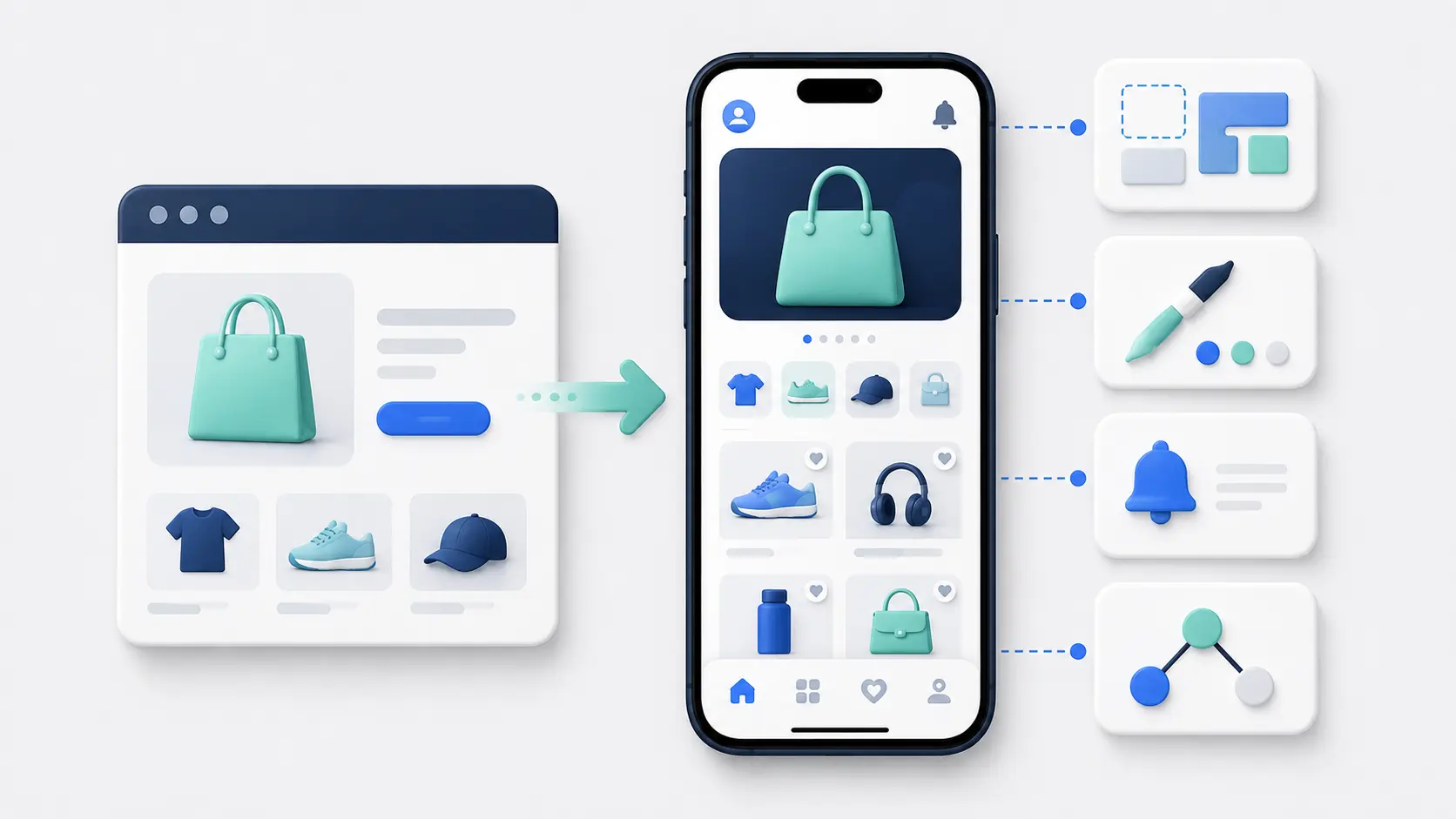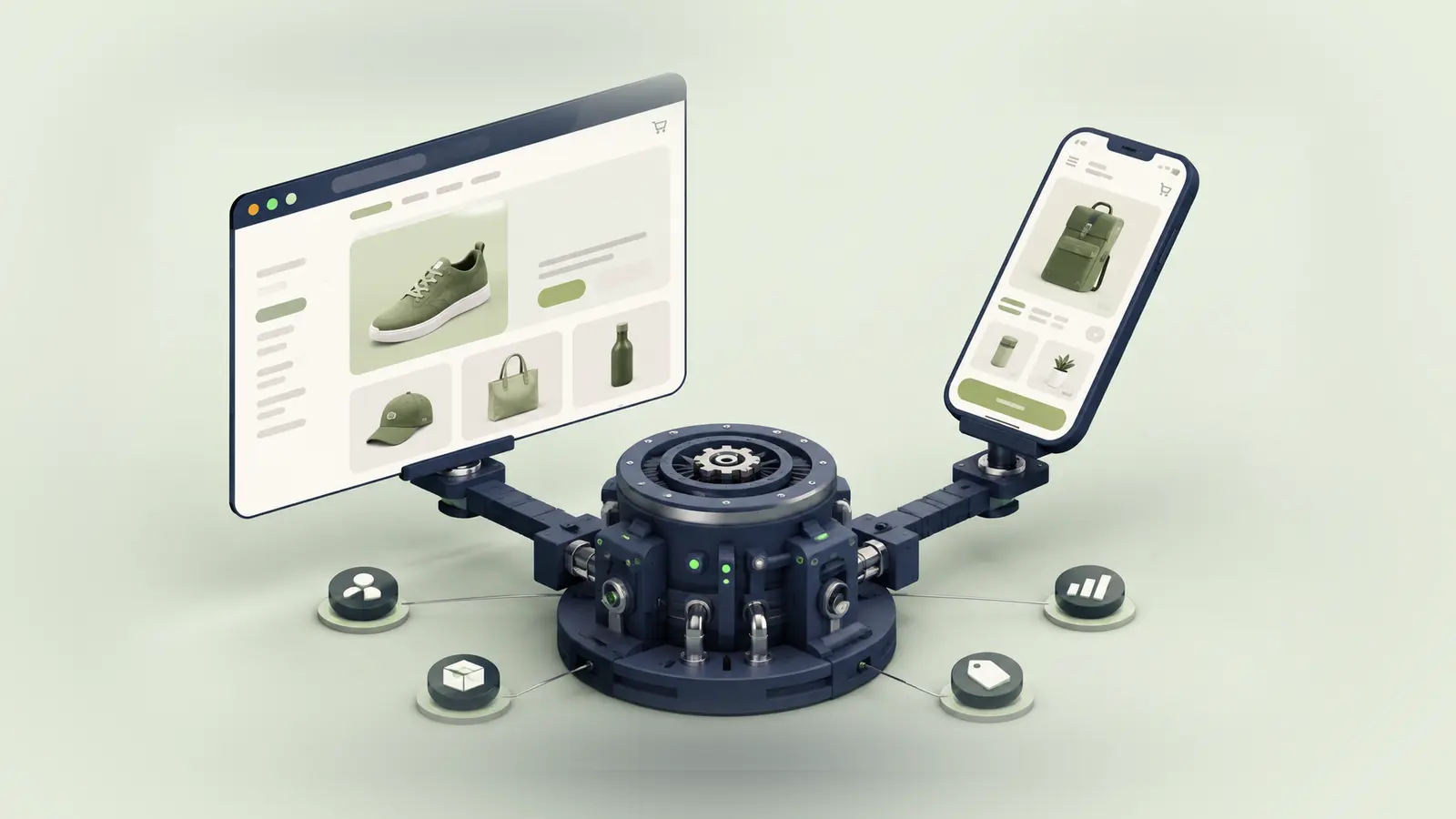
A headless Shopify store already has a custom frontend separated from the Shopify backend. Adding a mobile app means deciding whether to build another frontend or reuse the one you have.
That decision matters more here than it does for a standard Shopify theme.
Your website may contain years of custom design, content, integrations and business logic. A conventional mobile app builder won’t automatically reproduce any of it just because both channels connect to Shopify.
This guide breaks down the main architecture options and the work required to keep the website and app aligned.
The Short Answer
There are three practical ways to create a mobile app for a headless Shopify store:
- Build a separate native or cross-platform mobile frontend against Shopify and the rest of your stack.
- Share APIs, business logic and design systems between web and mobile while keeping two customer-facing frontends.
- Use the existing headless web storefront as the core experience inside a native app framework.
Shopify can continue supplying products, cart, customer data and checkout. Your CMS, search, personalization, loyalty and other services still need to connect to the app.
The best route depends on why the store went headless in the first place. If the custom frontend is an important part of the brand experience, rebuilding a simplified app in a template editor can give up much of the value you created.
What Makes a Headless Shopify App Different?
In a standard Shopify store, Shopify and the theme work closely together. A conventional app builder can pull the core catalog through APIs and recreate a familiar mobile storefront from its own components.
In a headless setup, Shopify is only one part of the customer experience.
The frontend might be built with Hydrogen, Next.js or another framework. Content may come from a separate CMS. Search, accounts, personalization, pricing and inventory may also pass through middleware or other business systems before reaching the page.
Shopify describes a custom storefront as an independent frontend connected to Shopify’s commerce engine. That frontend can be a website, mobile app or another customer touchpoint.
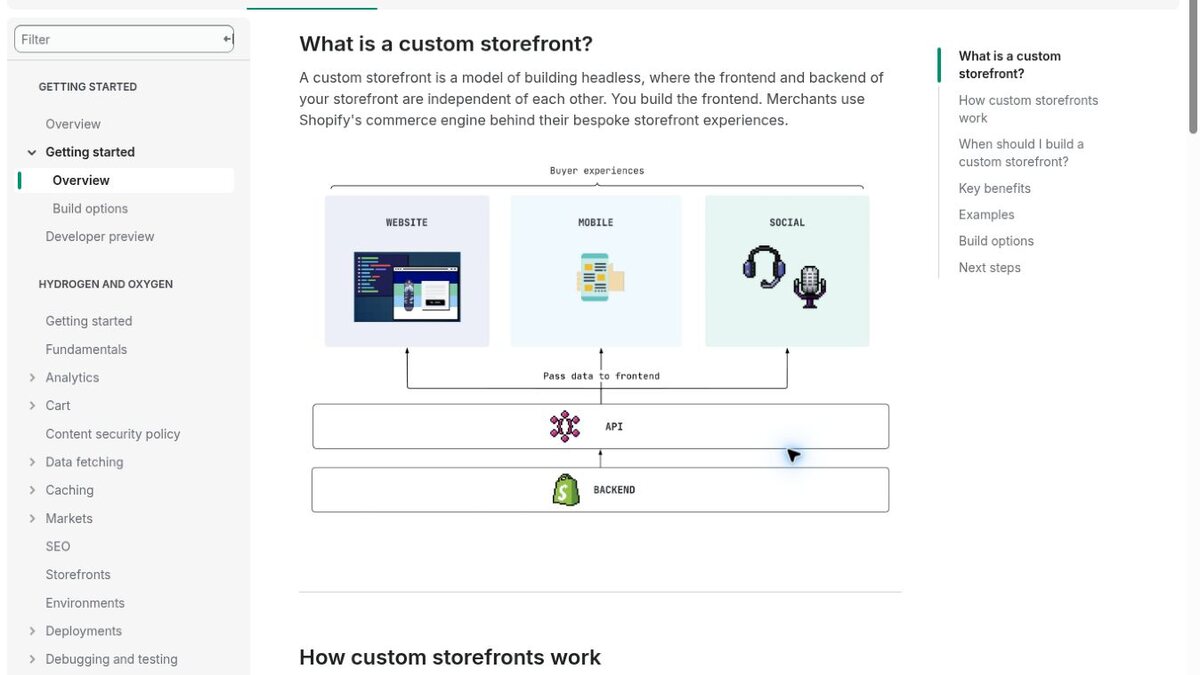
A mobile app is therefore another headless storefront. The question is whether it should be independent from the web frontend or reuse it.
The Existing Headless Stack Is Your Starting Point
Map the complete system before choosing an app approach.
Shopify may own products, variants, pricing, inventory, cart and orders. A CMS may own editorial content and landing pages. A PIM or ERP may influence product data. Search, subscriptions, loyalty, reviews, personalization and customer service can each come from separate platforms.
Your web frontend brings those systems together into one customer journey.
A new app needs the same map. If you only connect it to Shopify, you may get a functional product catalog while losing the features that make the headless site unique.
Document the source of each visible experience, the APIs involved, where authentication lives and which backend services transform the data. This tells you what can be shared and what must be rebuilt.
Option 1: Build a Separate Mobile Frontend
The most flexible route is a dedicated iOS and Android app built with native technologies or a cross-platform framework such as React Native or Flutter.
The mobile app becomes its own headless storefront. It queries Shopify and your other services directly or through an orchestration layer, then renders a mobile-specific interface.
What You Gain
You can design the app around mobile behavior rather than adapting the website. Native navigation, gestures, offline behavior, camera features, push notifications and device integrations can become part of the product.
The app can also have a different roadmap. You might focus it on repeat purchasing and account management while the website serves broader discovery and acquisition use cases.
What You Take On
You now have two customer-facing frontends.
New features, campaigns and design changes need a plan for both. A component added to the Next.js or Hydrogen storefront doesn’t become a React Native screen automatically. Even when the teams share TypeScript, GraphQL queries or design tokens, rendering and platform behavior remain different.
Every integration needs a mobile implementation. Your team also owns iOS and Android releases, SDK updates, app-store policies and mobile-specific testing.
Choose this route when the app needs a distinct product experience and you have the resources to run it as a separate frontend.
Option 2: Share More of the Headless Architecture
Web and mobile can share more than the Shopify backend without sharing the complete frontend.
You can centralize commerce orchestration, data transformations, feature flags, analytics schemas and integration logic behind a backend-for-frontend or common service layer. Both frontends then consume a stable interface designed around your business rather than calling every vendor separately.
The teams may also share GraphQL fragments, TypeScript models, validation logic, design tokens and parts of the content model.
This reduces duplicated business logic. It doesn’t turn the web codebase into a mobile app.
Hydrogen is Shopify’s React-based framework for headless web storefronts. It isn’t a React Native mobile framework. A Hydrogen component that renders HTML can’t be dropped into a native screen unchanged.
The useful sharing happens lower in the stack: data contracts, services, rules and design language. Treat direct UI code sharing as an engineering decision to prove, not an assumption.
Option 3: Use the Headless Storefront Inside the App
The third route keeps the existing headless website at the center of the app.
A native framework presents the mobile storefront and adds app features around it, such as tab navigation, push notifications, deep links, persistent authentication and app-only screens.
Why This Works Well for Customized Stores
You preserve the frontend your team already built.
CMS content, custom React components, experiments, personalization and customer-facing integrations can continue working through the same application. When the web team releases a change, the app can receive it without a second mobile implementation.
This keeps one primary frontend and reduces the risk that the app drifts behind the website.
The Trade-Off
The app inherits the performance and mobile UX of the storefront. A slow or awkward responsive experience will remain slow or awkward inside an app.
Some device interactions and authentication flows need additional handling. External links, downloads, payment redirects, camera access, file uploads and third-party sign-in can behave differently inside a native container.
This route also offers less freedom to make the app completely different from the website. That is an advantage if parity is the goal and a limitation if the app needs to become a separate product.
Shopify’s APIs in a Headless Mobile App
Shopify provides the commerce layer for both a separate mobile frontend and a shared headless architecture.
Storefront API
The Storefront API exposes products, collections, search, contextual pricing and cart capabilities to custom storefronts.
Your mobile app can use it directly with the appropriate public access, or access Shopify through a private backend layer. The right choice depends on the data, permissions, caching and business logic involved.
Storefront API access is framework-agnostic. A Hydrogen website and React Native app can query the same Shopify commerce primitives even though their frontend components are different.
Keep market, language and buyer context consistent. A cart created without the right country or customer information can produce different pricing, availability or checkout behavior from the website.
Customer Account API
The Customer Account API provides authenticated access to customer-scoped data and actions, including orders, payments, fulfillment, refunds and metafields.
It uses Shopify-hosted authentication and OAuth. Both web and mobile can use the same customer identity, but each frontend needs to implement the correct redirect, token storage and session behavior.
Mobile authentication deserves its own design. Deep links must return the customer to the app after login, tokens need secure storage and session expiry should not leave the interface in a broken state.
Cart and Checkout
The mobile frontend can create and update a Shopify cart through the Storefront API. The cart returns a checkoutUrl for completing the purchase.
Checkout Kit can present Shopify checkout inside Swift, Android and React Native apps. Shopify continues handling payment, tax, order creation and compatible checkout customizations.
A web-powered app may open the same checkout experience already used by the storefront. Test session, cart and customer state carefully at the boundary between the native layer, web frontend and Shopify checkout.
Content and CMS Integration
Headless storefronts often use a CMS because the content model goes beyond Shopify pages and theme sections.
A separate mobile frontend needs to query and render that content. Check whether the CMS delivery API supports the app’s traffic, localization, preview and personalization requirements.
The content model also needs mobile rules. A wide web hero, interactive story or complex landing-page component may not have a direct mobile equivalent.
If web and app use separate rendering systems, editors need to know whether one entry powers both and how the previews differ. If the app uses the web storefront, the existing rendering path continues to do the work.
Avoid creating a second app-only CMS unless the channel genuinely needs independent content. Another publishing system gives you more control and more operational work.
Integrations Beyond Shopify
The main risk in a headless mobile project is underestimating the non-Shopify stack.
Search may run through Algolia or another engine. Personalization may depend on server-side customer profiles. Loyalty and subscriptions can have their own APIs and authentication. Pricing or availability may come through an ERP or middleware.
For each system, decide whether the mobile app calls it directly, uses a shared orchestration layer or continues reaching it through the web storefront.
Direct mobile connections can create several problems: credentials may not be safe on the device, vendor SDKs may behave differently by platform and business logic can become duplicated across web and mobile.
A shared backend layer often gives you cleaner control. It can protect secrets, normalize responses, apply rules and keep vendor-specific logic out of both frontends.
The trade-off is another service to operate. Build it around real complexity, not simply because headless diagrams usually include middleware.
Keeping Web and App in Sync
Product data staying in sync is the easy part. Shopify handles that shared source.
Experience parity is harder.
Create an ownership rule for every new feature. Does it launch on both channels? Is the app intentionally different? Which team owns the shared service, and what happens if one frontend can’t support the experience?
Use common design tokens and content models where they help. Keep analytics events consistent enough to compare journeys. Test the same customer across web, app and checkout, particularly when login, markets, loyalty and cart state cross boundaries.
Release cadence matters too. A website can ship several times a day. Native changes wait for app builds and store review. Put fast-changing campaign content behind remote systems where possible rather than hard-coding it into mobile releases.
The more the app can update without a new binary, the easier it is to keep pace with the web team.
How Standard Shopify App Builders Fit
Most Shopify mobile app builders are designed to connect directly to Shopify and recreate the store with their own components.
That can work if your headless frontend is largely presentational and the mobile app only needs the standard commerce data underneath it.
It becomes a poor fit when the website’s custom components, CMS content and connected systems are central to the experience. The builder may support Shopify products and checkout while missing the layer your team invested in building.
Ask a provider to demonstrate your exact frontend features, not a generic store. Check search, accounts, loyalty, subscriptions, localization, product logic, CMS pages and any personalized flow.
A website-powered provider can be a better platform route for headless stores because it keeps the existing frontend. A more open app builder may also work if it lets your developers add custom components and APIs. Compare that extension model with the cost of maintaining your own app.
How to Choose the Right Architecture
Start with the relationship you want between web and mobile.
Choose a separate native or cross-platform frontend when the app has a distinct product role, needs deep device integration or must behave differently from the website.
Choose a shared service architecture when both frontends need the same complex business logic and integrations, but still need their own interfaces.
Choose a website-powered app when the headless storefront already provides the right mobile experience and parity matters more than separation.
Then test the decision against your organization. Do you have a mobile team? Who will maintain the shared services? How fast does the web experience change? Can content teams manage two renderers? What is the plan when a vendor updates an API?
Architecture is not only a technical diagram. It is a commitment to a way of working.
Cost and Timeline
A headless app built as a separate custom frontend usually falls into custom-development budgets. A focused cross-platform project can start around $50,000, while a complex app with many integrations can reach $150,000 to $250,000+.
Existing backend services and clear API contracts can reduce the scope. Undocumented business logic, inconsistent identity and web-only integrations can increase it.
A website-powered route is normally faster because it reuses the working frontend. Managed app services commonly charge around $1,000 to $2,500+ per month and may add a setup fee.
The initial project isn’t the full cost. Include parallel feature work, mobile releases, API upgrades, integration maintenance and the team needed to keep web and app aligned.
Final Thoughts
A headless Shopify mobile app should build on the flexibility you already created, not throw it away.
Shopify can power the same catalog, cart, customer identity and checkout across web and mobile. The real architecture decision sits in the frontend: build another one, share more of the service layer or keep using the headless storefront inside a native app.
If the app needs to become its own product, a separate mobile frontend gives you the control. If parity and operational simplicity matter more, reusing the existing storefront can remove a large amount of duplicate work.
Choose based on the experience and team you have, not on a generic idea of what a “native” or “headless” app should look like.
Headless Shopify Mobile App FAQs
Can Hydrogen Build a Native Mobile App?
Hydrogen is Shopify’s framework for React-based web storefronts. It isn’t a native mobile framework. You can share APIs, models and some business logic with a mobile project, but Hydrogen UI components don’t automatically become React Native screens.
Can a Headless Shopify App Use the Same Checkout?
Yes. A mobile storefront can create a Shopify cart and pass its checkoutUrl to Checkout Kit. A website-powered app can continue using the checkout path already connected to the headless storefront. Test authentication, markets and cart state across the handoff.
Do Web and Mobile Need Separate Storefront API Tokens?
They can be managed as separate custom storefronts through Shopify’s Headless channel. Separate credentials can make permissions, rotation and attribution clearer. The exact setup depends on whether each client calls Shopify directly or through your backend.
Can You Reuse a Next.js Storefront in a Mobile App?
You can present the responsive Next.js storefront inside a native app framework and add native features around it. You can’t use ordinary web components as native React Native components without rebuilding them. Sharing data logic and types is more realistic than automatically sharing the complete UI.
Is a Headless Shopify App More Expensive?
It can be. A separate mobile frontend needs to reproduce or reconnect the custom systems used by the web storefront. Reusing the existing headless frontend can reduce that cost, but the store needs a strong mobile experience and careful handling at the native boundaries.